iApp Image Generation
The first Thai-made AI image generation model, by the iApp Technology team! ภาษาไทย แม่นเฉียบ พลาดน้อยมาก
More Thai, more realistic. Text now blends into real surfaces instead of sitting on a white panel, more than 4,000 Thai public figures can be placed in the picture with the @ picker, a reference image can be uploaded. At most two named people per image: the first two names mentioned are used. Details in the changelog.
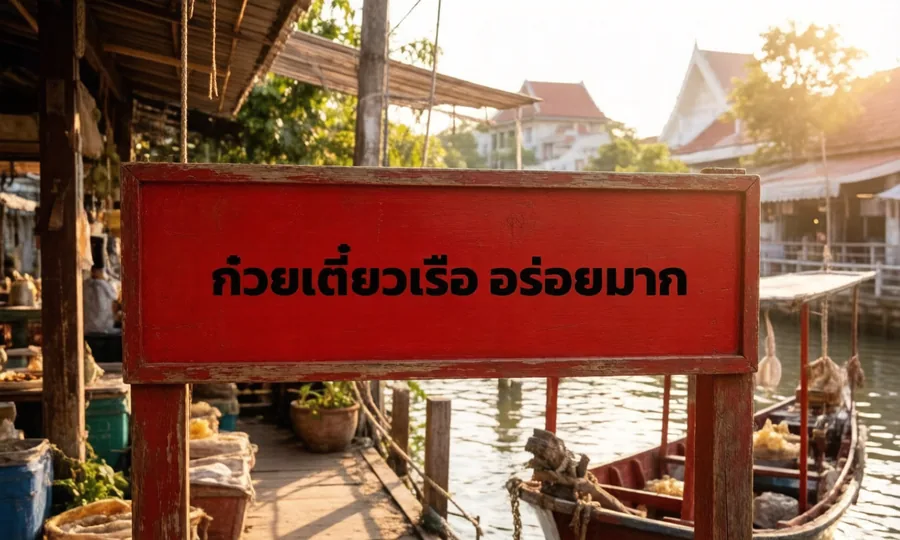
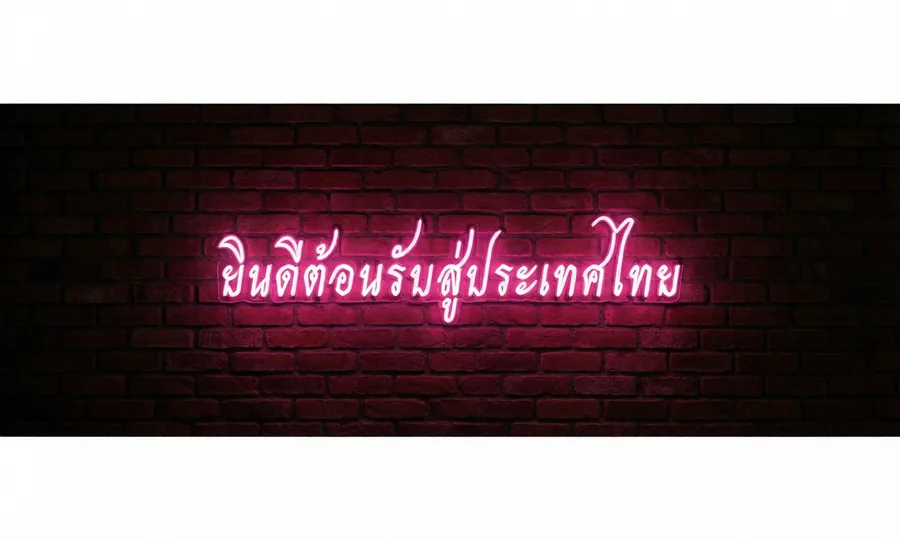
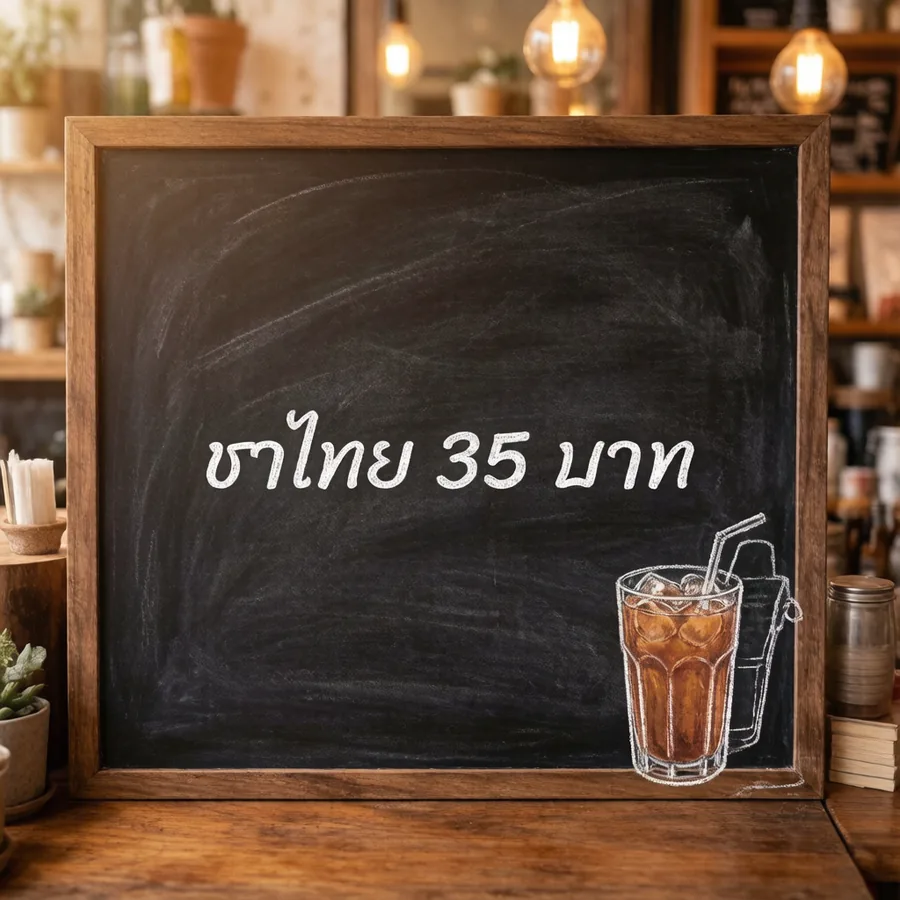
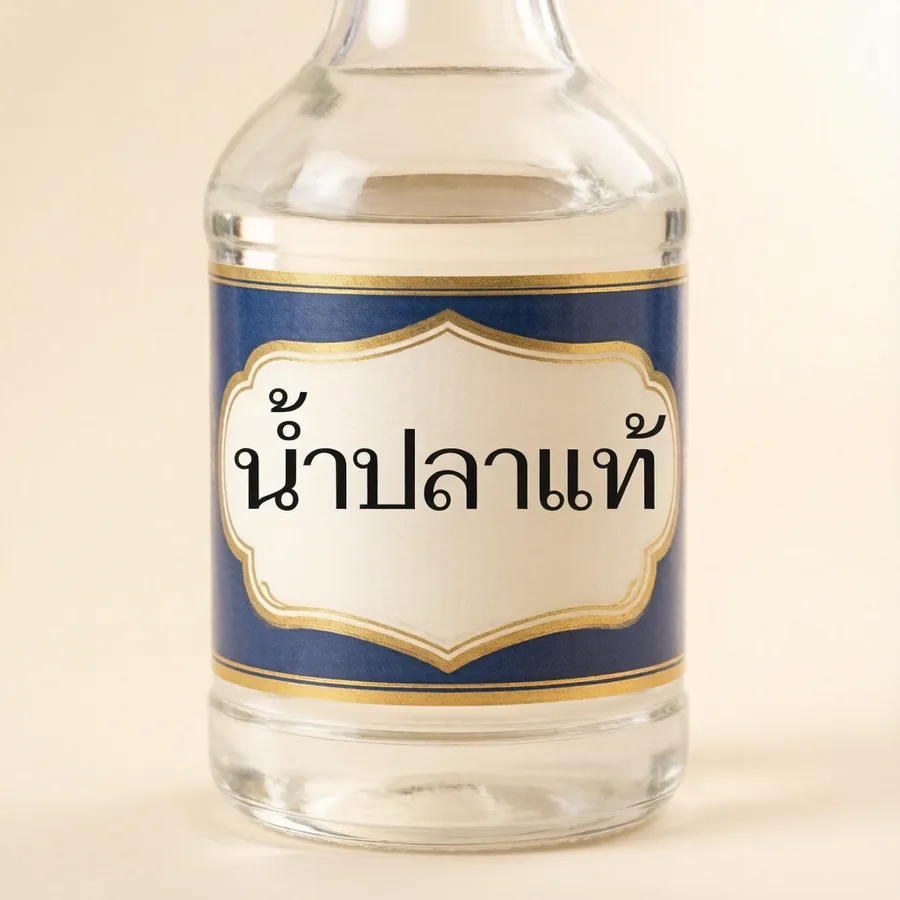
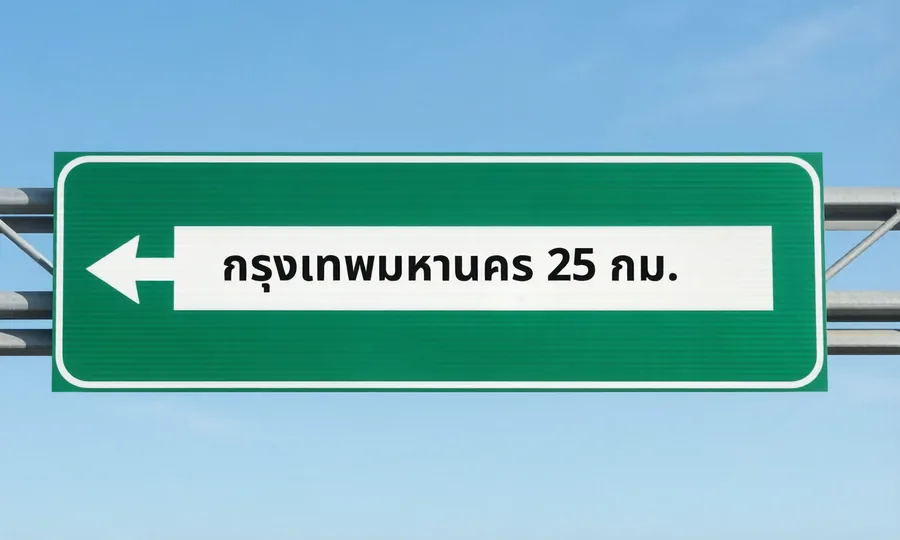
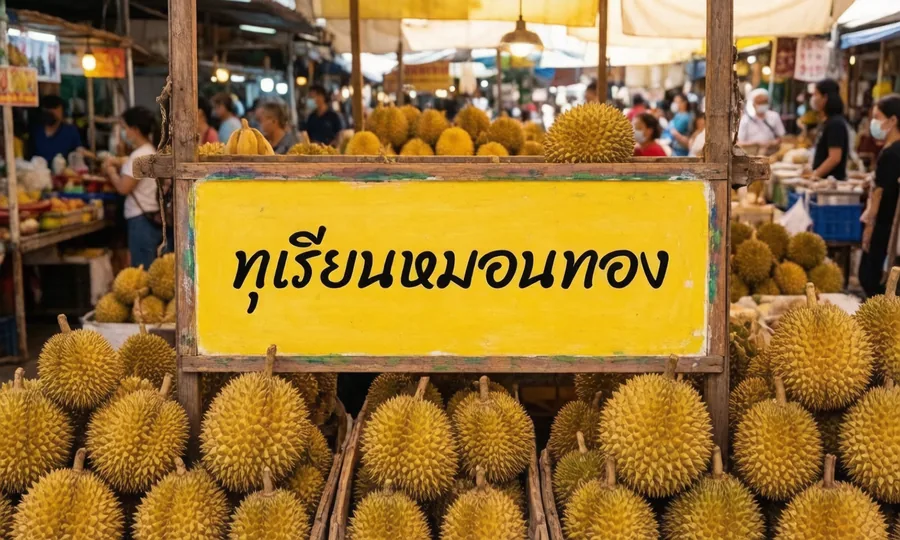
iApp Image Generation is the first Thai image generation model, fine-tuned in-house by the iApp Technology team for the Thai language. It creates images from a description written in Thai or English and renders the Thai or English text you specify exactly as written — every character, vowel and tone mark — in one of 19 Thai typefaces. It also knows how Thai things look: uniforms, ceremonies, festivals, dress and dishes named in the description come out the way they really are. It is built for material where wrong Thai spelling is not acceptable: posters, shop signs, greeting cards, product labels, presentation slides, banners and social-media graphics. General image generation models render Thai script as look-alike strokes; iApp Image Generation spells it correctly. In the v1.1.0 gallery run of 34 prompts on 3 September 2026, 32 images (94%) rendered the Thai text exactly as written, once and with nothing else added.
Live Demo
Describe the image in Thai or English, enter the Thai or English text that must appear, choose a typeface and a size. Or pick one of the 29 examples below.
Tip: detailed descriptions produce noticeably better images. Say where the text sits (a wooden sign above the door, a cloth banner, a bottle label, a chalkboard), the setting, the lighting and the style. A five-word prompt gives a plain picture with the text on a blank panel; a two-sentence prompt gives a designed one. The example buttons below show the level of detail that works well.
Request as cURL
curl -X POST 'https://api.iapp.co.th/v3/store/image-generation/iapp-image-generation/generate' \
-H 'apikey: YOUR_API_KEY' \
-H 'Content-Type: application/json' \
-d '{"prompt":"Minimal coffee-shop promotion poster in brown and cream tones; a leaf-pattern latte in a cup on a wooden saucer at the centre with coffee beans scattered around, the text set in a cream band across the top of the poster, warm side light, soft shadows, magazine-style layout with generous white space","text":["กาแฟสด ลด 50%"],"font":"kanit-bold","size":"768x1280","person_reference":"off"}'Examples: 29 generated images
All 29 images below were generated by iApp Image Generation v1.1.0 on 3 September 2026 from the request shown on each card, without any editing. Click an image to open it at full size, or use the button to load its request into the live demo.


Quick Start
You need an API key from the iApp AI Portal. Send a JSON body with the apikey header:
curl -X POST https://api.iapp.co.th/v3/store/image-generation/iapp-image-generation/generate \

-H "apikey: YOUR_API_KEY" \
-H "Content-Type: application/json" \
-d '{
"prompt": "การ์ดอวยพรวันเกิดสีพาสเทล มีเค้กและลูกโป่ง ลายเส้นน่ารักแบบภาพประกอบ",
"text": "สุขสันต์วันเกิด",
"font": "kanit-bold",
"size": "1024x1024"
}'
{
"status": "success",
"id": "20260902-054442-f26467",
"width": 1024,
"height": 1024,
"font": "kanit-bold",
"text": ["สุขสันต์วันเกิด"],
"mime_type": "image/png",
"image_base64": "iVBORw0KGgoAAAANSUhEUgAABAAAAAQACAIAAADwf7zU...",
"time": { "translate": 3.1, "generate": 8.6, "total": 11.8 },
"iapp": { "images": 1, "version": "1.0.0-20260902" }
}
Code examples for Python and JavaScript are in the Technical Reference.
Endpoints and Pricing
| Endpoint | Description | Price |
|---|---|---|
POST /v3/store/image-generation/iapp-image-generation/generate | Generate one image | 3 IC per image — 1.5 IC during the preview |
GET /v3/store/image-generation/iapp-image-generation/fonts | List the available Thai typefaces | Free |
GET /v3/store/image-generation/iapp-image-generation/persons | Search Thai public figures by name, for the persons field (details) | Free |
GET /v3/store/image-generation/iapp-image-generation/persons/portrait | Portrait thumbnail of a person id | Free |
POST /v3/store/image-generation/iapp-image-generation/persons/detect | People recognised in a description, for a confirmation step | Free |
Only successful responses are charged. The preview price applies to every account for the duration of the preview release; the list price will apply after the preview ends, announced at least 14 days in advance.
Performance
Measured on the production service, 2 September 2026, one image per request.
| Metric | Value |
|---|---|
| Median generation time (1024 × 1024) | 20–45 s per image since 1.1.0 |
| Serving capacity | about 17 images per minute, about 1,000 per hour, on 4 GPUs; requests beyond that wait in a first-come queue |
| Sizes | 1024 × 1024, 1280 × 768, 768 × 1280, 1536 × 1024, 1024 × 1536 |
| Text | Up to 4 lines, up to 120 characters per line; 19 Thai typefaces |
| Prompt | Thai or English, up to 1,500 characters |
| Rate limits (per API key) | 2 per second, 30 per minute, 600 per hour |
Requests are processed one at a time per GPU; during the preview the service runs on a single GPU, so response time grows with concurrent load.
Thai Text Accuracy
Thai text accuracy is measured on every release. In the internal acceptance set of 11 prompts covering signs, posters, slides, labels and clothing (2 September 2026), all 11 images rendered the requested Thai text letter-perfect. In the v1.1.0 gallery run of 34 prompts on 3 September 2026, 32 images (94%) rendered the text exactly once with nothing else written; the 29 examples above are taken from that run without retouching.
The response reports in text_check whether the requested text was rendered exactly (result is ok, duplicate, missing or extra).
Two limits apply:
- The letters keep the shape of the selected typeface; decorative effects such as neon glow or chalk texture are applied by the model only partially.
- Thai text that appears in
promptbut not intextis not guaranteed. Put every string that must appear in the image intotext.
Data Security and Compliance
- The service is GDPR and PDPA compliant.
- Prompts and text are used only to generate the requested image.
- Generated images are returned inline in the response and are deleted from the service within 24 hours.
- The model runs on iApp-operated GPU infrastructure; no prompt or image is sent to a third-party image-generation provider.
- Content safety: prompts describing sexual content, sexual content involving minors or extreme gore are rejected before generation, and every generated image is screened by an NSFW classifier. A request that depicts a real person (through
personsorreference_image) is rejected on any sexual cue at all, including swimwear or underwear. Rejected requests return HTTP 422 and are not charged.
Technical Reference
Request
POST /v3/store/image-generation/iapp-image-generation/generate accepts application/json with the apikey header.
| Field | Type | Required | Description |
|---|---|---|---|
prompt | string | Yes | The scene to generate, in Thai or English (max 1,500 characters). Text quoted in double quotes inside the prompt is also rendered exactly. |
text | string or array | No | Thai text that must appear in the image. One line per array item, or one string with line breaks (max 4 lines). |
font | string | No | Typeface id from the table below. Default kanit-bold. |
size | string | No | 1024x1024 (default), 1280x768, 768x1280, 1536x1024, 1024x1536. |
style | string | No | Optional style hint appended to the prompt, e.g. photorealistic, flat vector, watercolor. |
seed | integer | No | Fixes the random seed for reproducible output. |
reference_image | string | No | Reference image as base64 PNG, JPEG or WebP (a data: URL prefix is accepted), at most 6 MB. The generated picture keeps this image's subject (a person, product, place or artwork), its appearance and style, and follows the prompt for everything else. New in v1.1.0. |
persons | array of string | No | Up to two ids of Thai public figures to depict, in left-to-right order, from GET …/persons?q= (the search behind the demo's @ picker, free). This is the reliable way to put a specific person in the picture. |
person_reference | string | No | off (default): names in the prompt are ordinary words. auto: scan the prompt for well-known Thai people written with their exact full name or official position and use their portraits. Prefer persons. |
text_scale | number | No | Width of the text block as a fraction of the image, 0.2–0.9. Default 0.55. |
Every successful response carries the header iapp-input-images: 1.
Response
{
"status": "success",
"id": "20260902-071417-3b2093",
"width": 768,
"height": 1280,
"font": "kanit-bold",
"text": ["กาแฟสด ลด 50%"],
"seed": null,
"mime_type": "image/png",
"image_base64": "...",
"time": { "translate": 3.2, "generate": 10.0, "total": 13.4 },
"iapp": { "images": 1, "version": "1.0.0-20260902" }
}
Typefaces
GET /v3/store/image-generation/iapp-image-generation/fonts returns this list. All typefaces are published under the SIL Open Font License.
| id | Typeface | Character |
|---|---|---|
kanit-bold | Kanit Bold (default) | Modern, bold |
kanit | Kanit | Modern |
prompt-bold | Prompt Bold | Modern, bold |
prompt | Prompt | Modern |
sarabun-bold | Sarabun Bold | Formal, documents |
sarabun | Sarabun | Formal, documents |
mitr | Mitr | Rounded, friendly |
chakrapetch-bold | Chakra Petch Bold | Technical, geometric |
athiti-bold | Athiti Bold | Compact |
k2d-bold | K2D Bold | Display |
notosans | Noto Sans Thai | Neutral sans-serif |
pridi | Pridi | Serif |
taviraj | Taviraj | Serif |
notoserif | Noto Serif Thai | Serif |
itim | Itim | Playful |
mali | Mali | Handwriting |
sriracha | Sriracha | Handwriting |
charm | Charm | Cursive handwriting |
srisakdi | Srisakdi | Decorative |
People (face search)
Three free endpoints let an application do everything the demo's @ picker does: find a Thai public figure, show their portrait, and pass their id to generate in persons. Names typed in the prompt are ordinary words; only ids in persons put a real face in the picture (up to two per image, in left-to-right order). These endpoints share a rate limit of 20 requests per second per API key.
Search — GET …/persons?q=<name>&limit=<n>. q is a Thai or Latin name, full or partial (อนุทิน, kobkrit); an empty q returns the most-requested people. limit is 1 to 24, default 12. Each result has a stable id, the Thai name, name_en and, for current office holders, a role.
{
"status": "success",
"query": "อนุทิน",
"persons": [
{"id": "w0000", "name": "อนุทิน ชาญวีรกูล", "name_en": "Anutin Charnvirakul", "role": "นายกรัฐมนตรี"}
]
}
Portrait — GET …/persons/portrait?id=<id>&size=<px> returns a square JPEG of the person (size 48 to 320, default 128, cached for 24 hours) for a picker or a confirmation screen, or 404 when the id has no portrait.
Detect — POST …/persons/detect with {"prompt": "…"} returns the people it recognises in a description (up to four): id, name, name_en, role, the matched text and its kind (role, full or short for a lone first name). It never injects anyone. Use it to ask the user which names should get a real face, then send the confirmed ids in persons.
{
"status": "success",
"persons": [
{"id": "1258", "name": "ทักษิณ ชินวัตร", "name_en": "Thaksin", "role": "", "matched": "ทักษิณ", "kind": "short"},
{"id": "w0000", "name": "อนุทิน ชาญวีรกูล", "name_en": "Anutin Charnvirakul", "role": "นายกรัฐมนตรี", "matched": "อนุทิน", "kind": "short"}
]
}
A request with persons or reference_image is subject to the strict content policy: any sexual cue at all, including swimwear or underwear, is rejected with HTTP 422 and not charged.
- Python
- cURL
import base64
import requests
BASE = "https://api.iapp.co.th/v3/store/image-generation/iapp-image-generation"
HEADERS = {"apikey": "YOUR_API_KEY"}
# 1. Find the people (Thai or Latin, a first name is enough for well-known people)
ids = []
for name in ("อนุทิน", "ทักษิณ"):
r = requests.get(f"{BASE}/persons", params={"q": name, "limit": 3}, headers=HEADERS, timeout=30)
ids.append(r.json()["persons"][0]["id"]) # ["w0000", "1258"]
# 2. Generate with their faces, in left-to-right order
payload = {"prompt": "อนุทิน และ ทักษิณ ยืนจับมือกัน ถ่ายภาพหน้าตรง", "size": "768x1280", "persons": ids}
r = requests.post(f"{BASE}/generate", headers=HEADERS, json=payload, timeout=300)
r.raise_for_status()
with open("handshake.png", "wb") as f:
f.write(base64.b64decode(r.json()["image_base64"]))
BASE=https://api.iapp.co.th/v3/store/image-generation/iapp-image-generation
# 1. search (URL-encode Thai)
curl -G "$BASE/persons" --data-urlencode "q=อนุทิน" --data-urlencode "limit=3" -H "apikey: YOUR_API_KEY"
# 2. generate with the ids, left to right
curl -X POST "$BASE/generate" -H "apikey: YOUR_API_KEY" -H "Content-Type: application/json" \
-d '{"prompt": "อนุทิน และ ทักษิณ ยืนจับมือกัน ถ่ายภาพหน้าตรง", "size": "768x1280", "persons": ["w0000", "1258"]}'
Errors
| HTTP status | Meaning |
|---|---|
| 400 | Invalid size, font or field value; the message names the field |
| 401 | Missing or invalid apikey |
| 402 | Insufficient credits |
| 422 | Rejected by the content safety filter (prompt_rejected before generation, content_rejected after the image check); not charged |
| 429 | Rate limit exceeded for this API key |
| 503 | The model is starting; retry after 60 seconds |
Code Examples
- cURL
- Python
- JavaScript
curl -X POST https://api.iapp.co.th/v3/store/image-generation/iapp-image-generation/generate \
-H "apikey: YOUR_API_KEY" \
-H "Content-Type: application/json" \
-d '{"prompt": "ป้ายไฟนีออนเรืองแสงยามค่ำคืนบนถนนข้าวสาร", "text": "ยินดีต้อนรับสู่ประเทศไทย", "font": "prompt-bold", "size": "1280x768"}' \
| python3 -c "import sys, json, base64; r = json.load(sys.stdin); open('image.png', 'wb').write(base64.b64decode(r['image_base64'])); print(r['time'])"
import base64
import requests
url = "https://api.iapp.co.th/v3/store/image-generation/iapp-image-generation/generate"
payload = {
"prompt": "ป้ายไฟนีอ อนเรืองแสงยามค่ำคืนบนถนนข้าวสาร โบเก้ไฟถนน ภาพแนวภาพยนตร์",
"text": ["ยินดีต้อนรับสู่ประเทศไทย"],
"font": "prompt-bold",
"size": "1280x768",
}
response = requests.post(url, headers={"apikey": "YOUR_API_KEY"}, json=payload, timeout=180)
response.raise_for_status()
result = response.json()
with open("welcome.png", "wb") as f:
f.write(base64.b64decode(result["image_base64"]))
print(result["time"])
const response = await fetch("https://api.iapp.co.th/v3/store/image-generation/iapp-image-generation/generate", {
method: "POST",
headers: { "apikey": "YOUR_API_KEY", "Content-Type": "application/json" },
body: JSON.stringify({
prompt: "ป้ายไฟนีออนเรืองแสงยามค่ำคืนบนถนนข้าวสาร โบเก้ไฟถนน ภาพแนวภาพยนตร์",
text: ["ยินดีต้อนรับสู่ประเทศไทย"],
font: "prompt-bold",
size: "1280x768",
}),
});
const result = await response.json();
const img = document.createElement("img");
img.src = `data:${result.mime_type};base64,${result.image_base64}`;
document.body.appendChild(img);
Changelog
| Version | Date | Change |
|---|---|---|
| v1.1.3-20260904 | 4 Sep 2026 | Thai cultural knowledge expanded from 31 to 791 concepts drawn from Thai Wikipedia: regional dishes and desserts, instruments and ensembles, textiles, festivals and rites, spirits and amulets, royal barges, markets, architecture and national symbols. Recognition works on Thai or English wording, on word boundaries, with spelling variants, and never on a word that means something else in context (a banana-leaf cup is not a Loy Krathong float). Verified on 50 test descriptions with expected and forbidden matches, all passing. |
| v1.1.2-20260904 | 4 Sep 2026 | Thai cultural accuracy: the model now recognises Thai subjects named in the description, in Thai or English, with nothing extra to type, and renders them the way they really look: school and university uniforms, army, navy, air force, police and civil-servant uniforms (khaki and white dress), Loy Krathong, Wai Kru, Songkran, ordination, Muay Thai (mongkol and prajiad), monks on alms round, traditional Thai dress, khon, spirit houses, tuk-tuks, the national flag, and dishes such as som tam, khanom khrok, tom yum, pad thai, mango sticky rice, green curry and boat noodles. In a test of 12 Thai-culture prompts, 5 were wrong before and all 12 are right now. Photographs requested without text are much less likely to carry invented lettering. |
| v1.1.1-20260904 | 4 Sep 2026 | Content safety filter switched on: descriptions with sexual content, sexual content involving minors or extreme gore are rejected before generation, and every generated image is screened afterwards. A request that depicts a real person (persons or reference_image) is rejected on any sexual cue at all. Rejections return HTTP 422 and are not charged. Name detection tightened: only full names, official positions and the first names of well-known people count, never nicknames or single words. New free endpoint POST …/persons/detect returns the people recognised in a description. The live demo confirms before every generation, listing the description, the people that will get a real face and each text line as a checkbox, and gained a Clear button. Person endpoints have their own rate limit of 20 requests per second. Generation time is stated as 20–45 s. |
| v1.1.0-20260903 | 3 Sep 2026 | Model fine-tuned for realistic text: lettering is placed as a physical part of the scene (sign, banner, painted or lit surface) instead of on a white panel, and the response reports in text_check whether the text was rendered exactly. Thai public figures: the model was trained on more than 4,000 Thai public figures from the iApp Thai Famous People dataset, so naming one of them in the prompt renders that person's likeness. In the demo, type @ and pick the person from the list (their portrait is shown); the API takes the same ids in the new persons field. At most two people per image. Names typed as plain text are not detected unless person_reference is set to auto. Reference image: the new reference_image field (also in the demo above) keeps the subject and style of an uploaded picture. Example gallery regenerated with this release. |
| v1.0.0-20260902 | 2 Sep 2026 | Preview release: Thai and English prompts, exact Thai text rendering with 19 typefaces, five output sizes. Preview price 1.5 IC per image. |