App
Chinda Bot
Thai AI that runs on your own computer.
- PriceFree
- Starter model2.5GB
- Memory to start8GB
- Runs onMac · Windows · Linux
DownloadAll files on Hugging Face
What you type, attach or say stays on your computer.
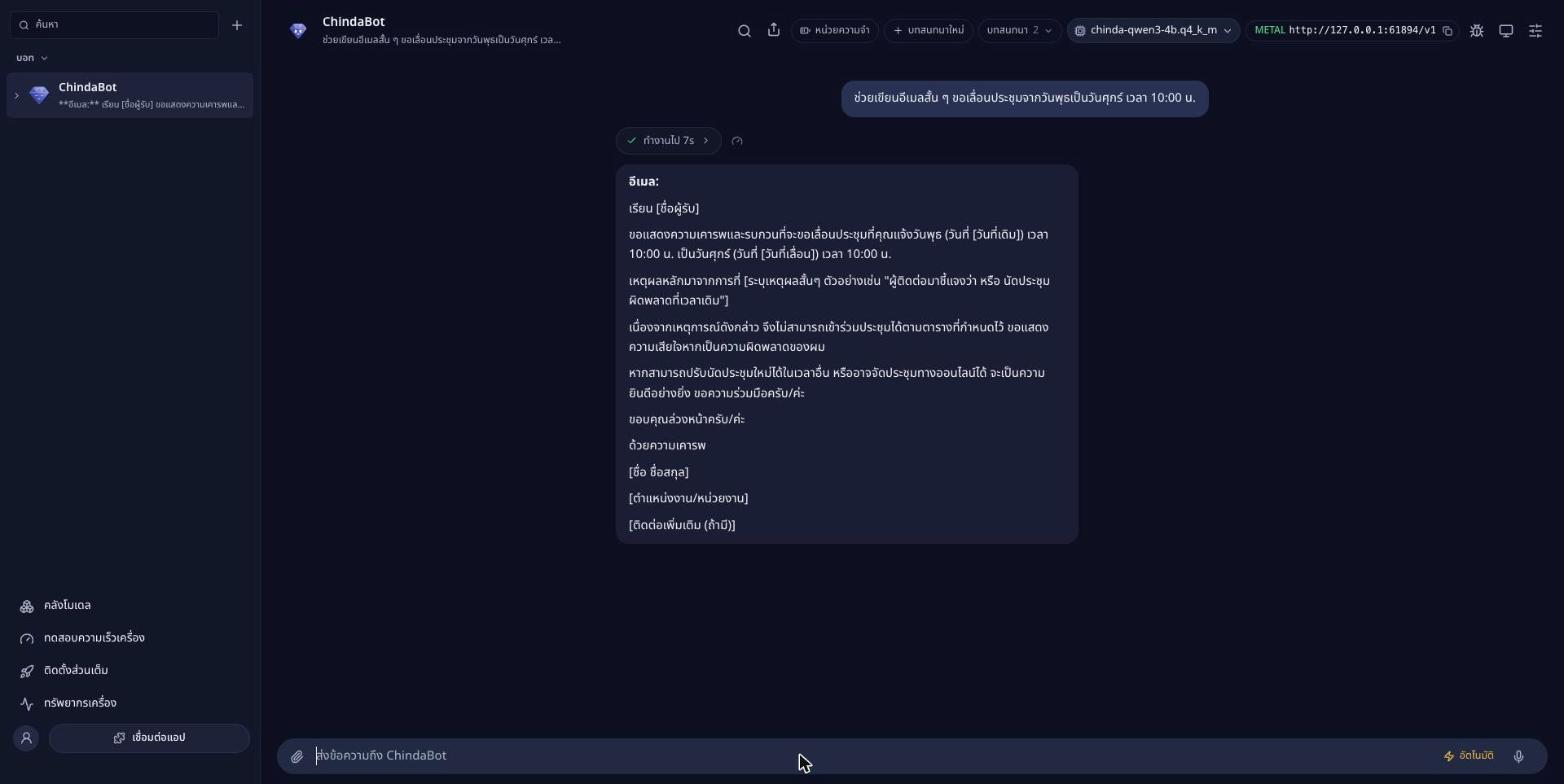
OpenThai Chinda 4B drafting a short Thai email on the computer itself. The reply is the model's own, unedited.
Download
The installer carries no model. On first start, Chinda Bot recommends one that suits your machine and downloads it; after that it works without the internet.
- MacApple silicon, M1 or later
The smoothest way on a Mac: open Terminal and paste
curl -fsSL https://huggingface.co/iapp/chindabot/resolve/main/install.sh | bash - Windows PCIntel or AMD (x64), Windows 10 or 11
- Windows on ArmRTX Spark and other Arm PCs, Windows 11
- Linux arm64DGX Spark and other arm64 machines
All files on Hugging FaceSHA-256 checksums
First start
- Windows
- Extract the zip, then double-click Install.cmd. At “Windows protected your PC” choose More info, then Run anyway. No administrator rights are needed; the installers are not code-signed yet.
- Mac
- The app is signed but not yet notarized. The Terminal command above installs it without a warning; with the .dmg, the first time, open System Settings > Privacy & Security and choose Open Anyway.
- Linux
- sudo apt install ./ChindaBot-linux-arm64.deb, or make the AppImage executable and run it.
What it does
- ChatA chat with a model running on your machine, with your conversations kept in the sidebar.
- Model librarySays of every file whether it fits this machine: CPU only, a graphics card, a card that borrows the machine's memory as the RTX Spark does, or a Mac's shared memory. Searches Hugging Face for any GGUF model, and copies models from a USB folder when there is no internet.
- Read documentsAttach a picture of a document and ask about it. Text is read on your machine by OpenThai2.0-OCR-Text.
- DictationPress the microphone and speak Thai. Speech is transcribed on your machine by OpenThai2.0 ASR.
- BenchmarkScores the machine on the language model, OCR and speech, with the same test on every computer.
- Live monitorCPU, RAM, GPU, graphics memory and temperatures, as they change.
- For your own programsA local OpenAI-compatible address that other programs on the machine can call.
- UpdatesA notice in the app when a newer version is out.
Which model for which computer
The app reads your machine's memory and says for each file whether it fits, runs partly on the CPU, or is too big. As a rough guide:
| Your computer | Model | Download |
|---|---|---|
| No graphics card, or a card with 4 to 12 GB | OpenThai Chinda 4B, the one to start with | 2.5 GB |
| A 24 GB card, RTX Spark, or a Mac with 32 GB or more | OpenThai2.0 27B, iApp's main Thai model; reads pictures | 16.8 GB |
| RTX Spark, a Mac with 48 GB or more, or DGX Spark | NVIDIA Nemotron 3.5 Bolt 74B-A9B; reads pictures | 22 GB |
| Thai legal work | OpenThai2.0 Legal 30B-A3B | 24.5 GB |
Open models inside
- Text from picturesOpenThai2.0-OCR-Text, included with the app
- Thai speech to textOpenThai2.0-ASR-Streaming, downloaded from the model library
- Whole pages to MarkdownOpenThai2.0-OCR-Markdown, with tables kept as tables
- Computer useOpenThai-SystemOne-Vision: a screenshot in, where to click out. Open on Hugging Face from 12 November 2026.
Privacy
Chinda Bot goes to the internet by itself only to read the model list and the latest version, to download the models you choose, and, in builds that have it on, to send an anonymous count that the app was opened, which Settings > General turns off. Nothing you type, attach or say is sent.
Requirements
- A Mac with Apple silicon (M1 or later), Windows 10 or 11 on x64 or Arm, or Linux on arm64.
- 8 GB of memory runs the starter model. Bigger models need more, and the app says which fit.
- An internet connection once, to download a model, or a USB folder that holds one.
The full Chinda Bot
The full Chinda Bot is a team of bots that does the work for you: it uses tools, searches the web, reads documents and takes Thai voice commands. It is a later step, from the app's "Install the full ChindaBot" menu, and runs today on the RTX Spark.