iApp Image Generation 1.1.0 — เพิ่มความเป็นไทย และความสมจริงเข้าไปอีก

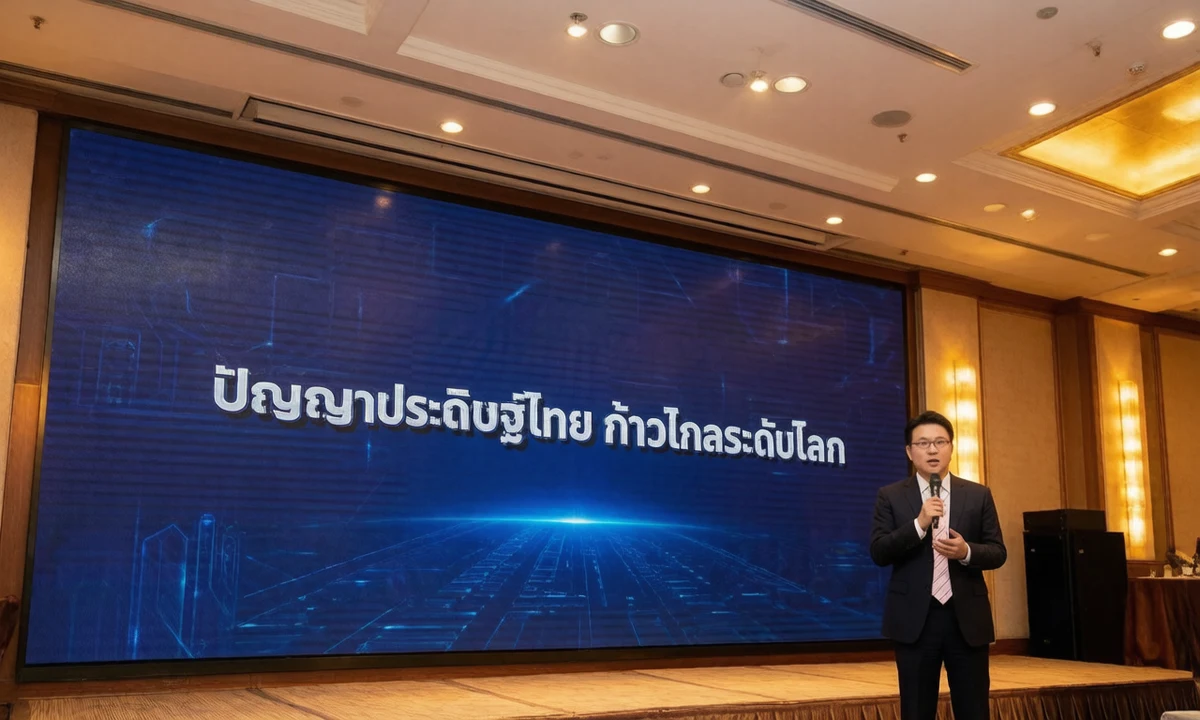
เพียงหนึ่งวันหลังเปิดตัว iApp Image Generation ก้าวสู่เวอร์ชัน 1.1.0 ภายใต้แนวคิด เพิ่มความเป็นไทย และความสมจริงเข้าไปอีก ข้อความภาษาไทยในภาพดูเป็นส่วนหนึ่งของภาพถ่ายจริงแทนที่จะเป็นป้ายวางทับ โมเดลรู้จักบุคคลที่มีชื่อเสียงของไทยจากชื่อ และคุณสามารถส่งภาพอ้างอิงของคุณเองให้โมเดลได้
มีอะไรใหม่ในเวอร์ชัน 1.1.0
1. ข้อความที่เป็นส่วนหนึ่งของฉากจริง
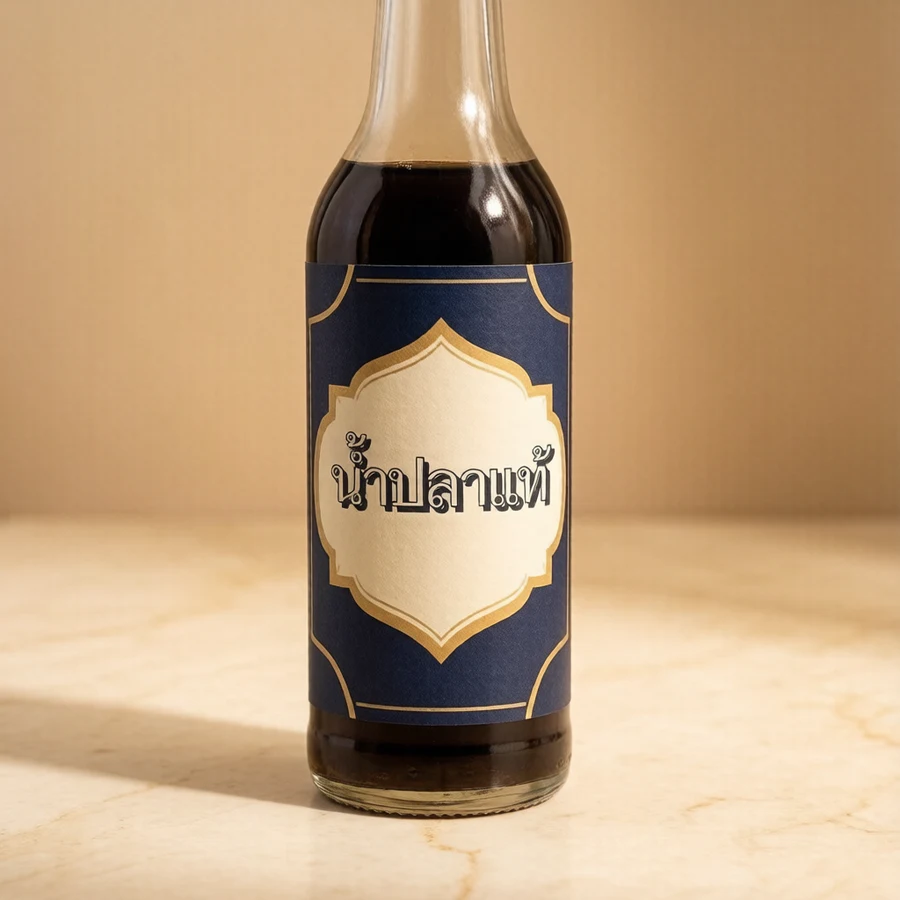
ในเวอร์ชันเปิดตัว ข้อความภาษาไทยสะกดถูกต้องเสมอ แต่มักปรากฏบนแผ่นป้ายสีขาว ในเวอร์ชัน 1.1.0 ตัวอักษรถูกทาสี พิมพ์ แกะสลัก นูน หรือเปล่งแสงบนพื้นผิวที่มีอยู่จริงในฉาก ไม่ว่าจะเป็นป้ายร้าน ฉลากขวด แบนเนอร์ หรือซุ้มตลาดนัด โดยอิงมุมมอง วัสดุ และแสงของพื้นผิวนั้น คำตอบ API รายงานในฟิลด์ text_check ว่าข้อความถูกแสดงตรงตามที่พิมพ์หรือไม่

2. บุคคลที่มีชื่อเสียงของไทยกว่า 4,000 คน เพียงระบุชื่อ
โมเดลได้รับการฝึกด้วยข้อมูลบุคคลที่มีชื่อเสียงของไทยมากกว่า 4,000 คนจากชุดข้อมูล iApp Thai Famous People ทั้งนักการเมือง ศิลปิน นักกีฬา นักธุรกิจ และนักวิชาการ เพียงระบุชื่อบุคคลในคำขอ ภาพที่ได้จะเป็นบุคคลนั้น
มีกฎสองข้อที่ทำให้ฟีเจอร์นี้ทำงานได้แม่นยำ คือต้องพิมพ์ ชื่อ-นามสกุลเต็ม หรือตำแหน่งอย่างเป็นทางการให้ถูกต้องตรงตัวสะกด 100% เช่น กอบกฤตย์ วิริยะยุทธกร หรือ นายกรัฐมนตรี หากสะกดผิดหรือระบุไม่ครบ ระบบจะถือเป็นคำอธิบายทั่วไปและสร้างบุคคลสมมติแทน ภาพหน้าปกของบทความนี้สร้างจากคำขอภาษาไทยที่ระบุชื่อ ดร.กอบกฤตย์ วิริยะยุทธกร ซีอีโอของ iApp Technology กำลังบรรยายบนเวที โดยกำหนดข้อความบนจอ LED ในฟิลด์ text
3. ส่งภาพอ้างอิงของคุณเอง
ฟิลด์ใหม่ reference_image รับภาพ PNG, JPEG หรือ WebP (base64 ขนาดไม่เกิน 6 MB) ภาพที่สร้างจะคงบุคคล สินค้า สถานที่ หรือผลงานในภาพนั้น รวมถึงลักษณะและสไตล์ แล้วทำตามคำอธิบายของคุณในส่วนที่เหลือ หน้าทดลองใช้งาน มีปุ่มอัปโหลดให้ โดยภาพจะถูกย่อขนาดในเบราว์เซอร์ก่อนส่ง
4. สร้างชุดตัวอย่างใหม่ทั้งหมด
ตัวอย่างทั้ง 29 ภาพในหน้าเอกสารถูกสร้างใหม่ด้วยเวอร์ชัน 1.1.0 และตรวจสอบซ้ำแล้ว แต่ละการ์ดแสดงคำขอที่ใช้จริง กดปุ่มเดียวเพื่อนำไปใส่ในหน้าทดลองใช้งานแล้วเปลี่ยนเฉพาะข้อความได้ทันที


ทดลองใช้งาน
iApp Image Generation เปิดให้ใช้งานแล้วบน iApp AI Marketplace ในราคาเปิดตัว 1.5 IC ต่อภาพ ผ่าน API endpoint เดิม ระบบที่เชื่อมต่ออยู่แล้วไม่ต้องแก้ไขอะไร การวางข้อความแบบสมจริงและการรู้จักบุคคลที่มีชื่อเสียงเปิดใช้งานเป็นค่าเริ่มต้น ส่วนภาพอ้างอิงเป็นฟิลด์เสริมที่เลือกใช้ได้
รายละเอียดทั้งหมดอยู่ในบันทึกการเปลี่ยนแปลง