Run ChindaLLM 4B in OpenWebUI
By the end, ChindaLLM 4B answers in Thai in a browser chat that runs entirely on your own machine.
You need: Docker (Docker Desktop on Windows or macOS), disk space for the OpenWebUI image and the 2.5 GB model, and at least 4 GB of RAM (8 GB recommended). An NVIDIA GPU is optional.
1. Start OpenWebUI
One container runs OpenWebUI with Ollama inside it.
- CPU
- NVIDIA GPU
- Docker Compose
docker run -d -p 3000:8080 -v ollama:/root/.ollama -v open-webui:/app/backend/data --name open-webui --restart always ghcr.io/open-webui/open-webui:ollama
Install the NVIDIA Container Toolkit first.
docker run -d -p 3000:8080 --gpus all -v ollama:/root/.ollama -v open-webui:/app/backend/data --name open-webui --restart always ghcr.io/open-webui/open-webui:ollama
Save as docker-compose.yml, uncomment the deploy block for a GPU, then run docker-compose up -d.
version: '3.8'

services:
  open-webui:
    image: ghcr.io/open-webui/open-webui:ollama
    container_name: open-webui
    ports:
      - "3000:8080"
    volumes:
      - ollama:/root/.ollama
      - open-webui:/app/backend/data
    restart: always
    # Uncomment the following lines for GPU support
    # deploy:
    #   resources:
    #     reservations:
    #       devices:
    #         - driver: nvidia
    #           count: all
    #           capabilities: [gpu]

volumes:
  ollama:
  open-webui:
2. Create the admin account
Open http://localhost:3000 and sign up; the account is kept on your machine and no data is sent out.
3. Pull the model
In the model search box, type iapp/chinda-qwen3-4b and click Pull "iapp/chinda-qwen3-4b" from Ollama.com.
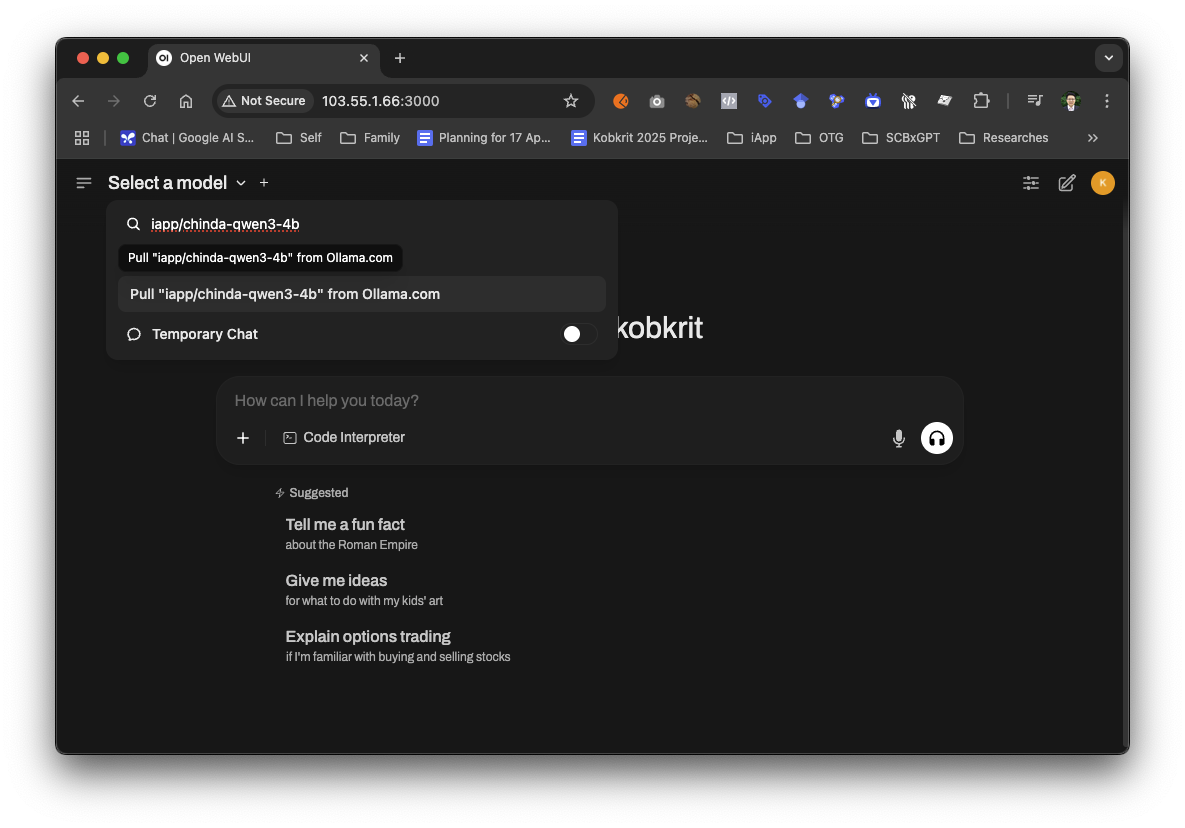
Or from a terminal:
docker exec -it open-webui ollama pull iapp/chinda-qwen3-4b
4. Chat in Thai
Pick iapp/chinda-qwen3-4b:latest in the model menu and write in Thai.
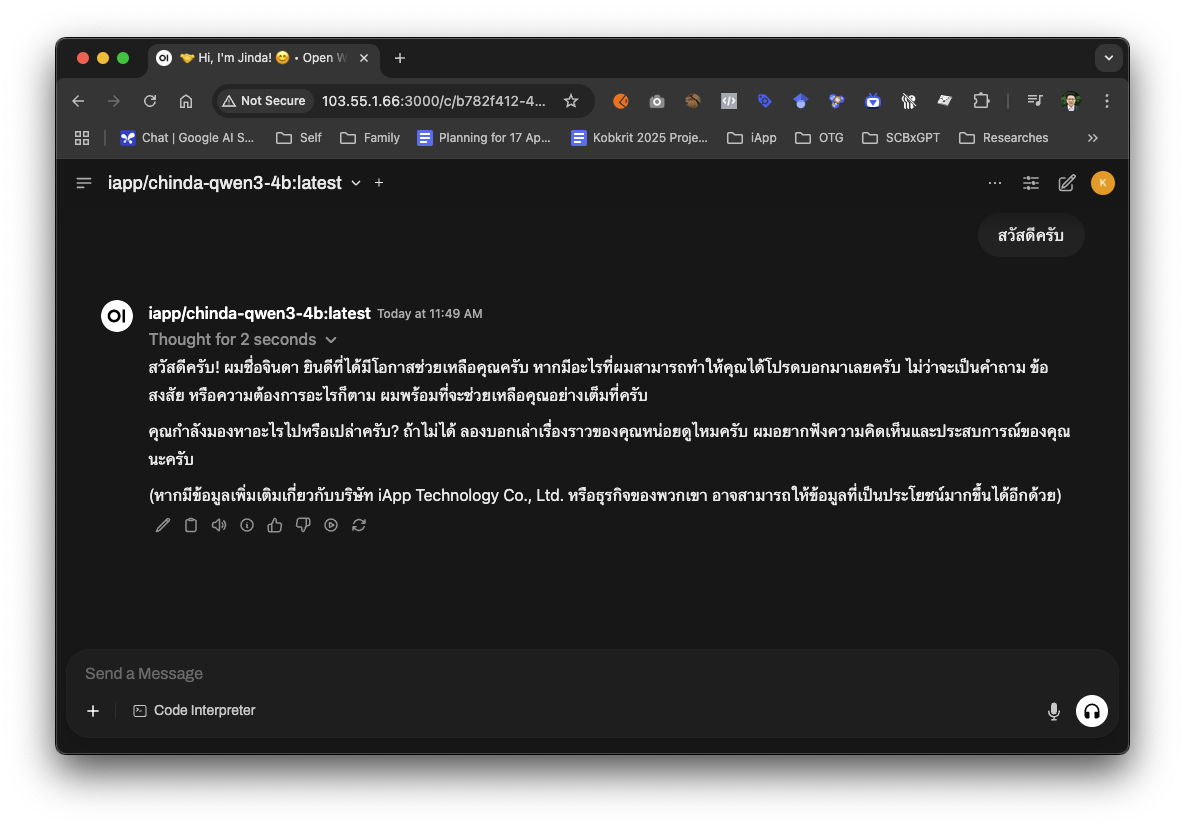
For facts, paste the source text into the chat: asked about recent news, statistics or people with no context, a 4-billion-parameter model can make things up.
5. Tune it (optional)
In the model settings, Temperature 0.7, Top P 0.9 and Top K 40 suit Chinda, and a system prompt sets its role:
คุณเป็นผู้ช่วยเขียนเอกสารมืออาชีพ ตอบด้วยภาษาไทยที่เป็นทางการและสุภาพ
Troubleshooting
- Chinda is not in the model menu. Check it downloaded with
docker exec -it open-webui ollama list, pull it again if it is missing, then refresh the page. - The page does not load. Check the container with
docker ps -aanddocker logs open-webui, thendocker restart open-webui. - Answers are slow. With a GPU, check
nvidia-smi, and if the container was not started with--gpus all, rundocker stop open-webuianddocker rm open-webui, then the NVIDIA GPU command. Without one, close other applications and lower Max Tokens.
Update, back up and manage models
# Update OpenWebUI, then run the step 1 command again
docker pull ghcr.io/open-webui/open-webui:ollama
docker stop open-webui
docker rm open-webui

# Back up both volumes to the current folder
docker run --rm -v ollama:/source -v $(pwd):/backup alpine tar czf /backup/ollama-backup.tar.gz -C /source .
docker run --rm -v open-webui:/source -v $(pwd):/backup alpine tar czf /backup/openwebui-backup.tar.gz -C /source .

# Pull or remove any other model
docker exec -it open-webui ollama pull <model-name>
docker exec -it open-webui ollama rm <model-name>
The model is Apache 2.0, including commercial use: model page, Hugging Face, Ollama, OpenWebUI on GitHub. To try it without installing, choose ChindaLLM 4B at chindax.iapp.co.th.