เปิดตัวโคลนเสียงภาษาไทย — โคลนเสียงใครก็ได้ใน 10 วินาที

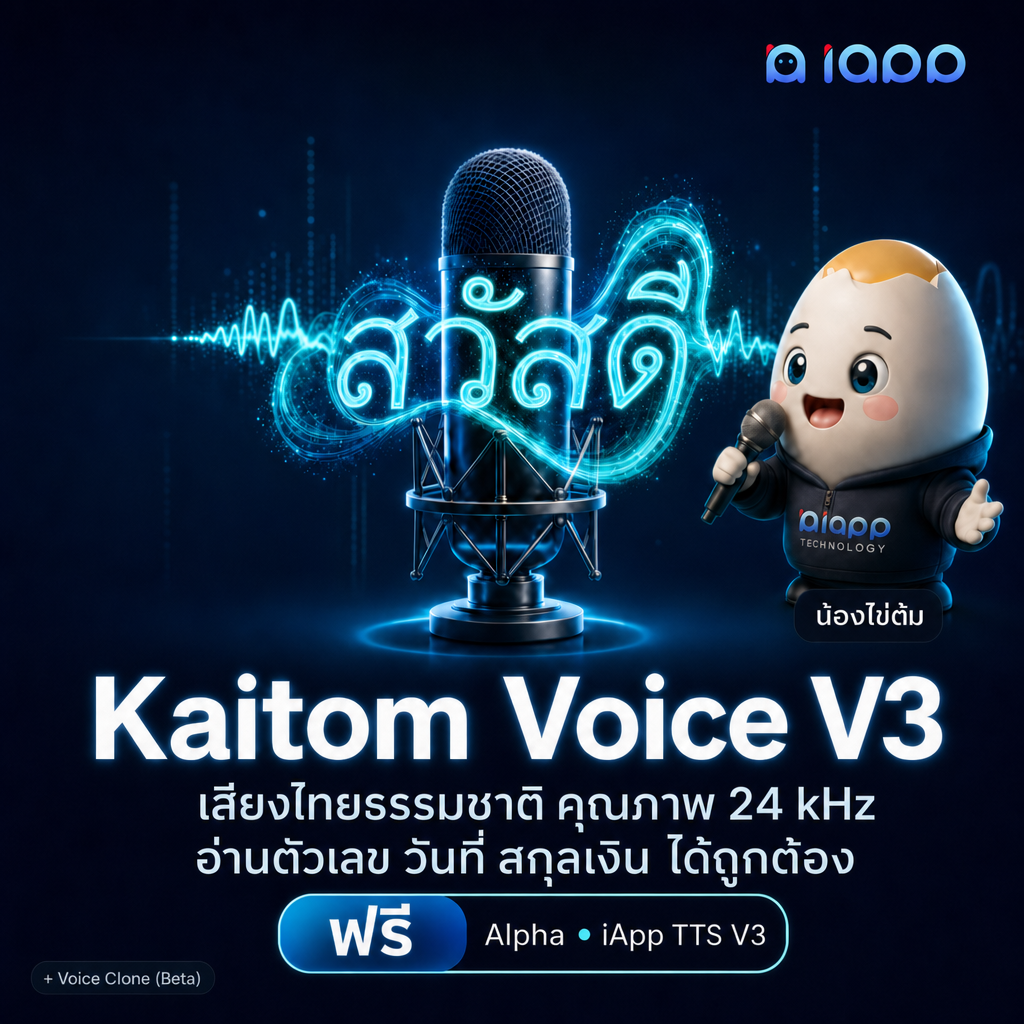
เรารู้สึกตื่นเต้นที่จะประกาศเปิดตัว โคลนเสียงภาษาไทย (Thai Voice Cloning) ฟีเจอร์ล่าสุดใน Kaitom Voice V3 TTS API เพียงส่งคลิปเสียงไทยที่สะอาดยาว 8–12 วินาที พร้อมข้อความที่พูดในคลิปแบบคำต่อคำ ระบบจะพูดข้อความภาษาไทยที่คุณต้องการด้วยเสียงเดียวกันทันที
นี่คือ Voice Cloning API ระดับโปรดักชันตัวแรกที่ออกแบบสำหรับภาษาไทยโดยเฉพาะ
ทำไมโคลนเสียงภาษาไทยถึงสำคัญ
เครื่องมือโคลนเสียงทั่วไปมีมานานสำหรับภาษาอังกฤษ แต่ภาษาไทยมักถูกลืม — วรรณยุกต์ผิด ตัวสะกดหายไป จังหวะการพูดเหมือนหุ่นยนต์ และจัดการการสลับไทย-อังกฤษไม่ได้
Endpoint โคลนเสียงของ Kaitom Voice V3 เทรนด้วยภาษาไทยตั้งแต่ต้น หมายความว่า:
- วรรณยุกต์ไทย (ไม้เอก, โท, ตรี, จัตวา) ถูกต้องตามผู้พูด
- ตัวสะกด ออกเสียงครบทุกคำ ไม่หายไป
- ตัวเลข วันที่ สกุลเงิน อ่านตามสไตล์ไทยอัตโนมัติ
- ข้อความผสมไทย–อังกฤษ จัดการได้ในประโยคเดียว
คุณจะได้เสียงที่เหมือนคนที่คุณโคลนจริงๆ ไม่ใช่หุ่นยนต์สวมหมวกของเขา
วิธีการทำงาน
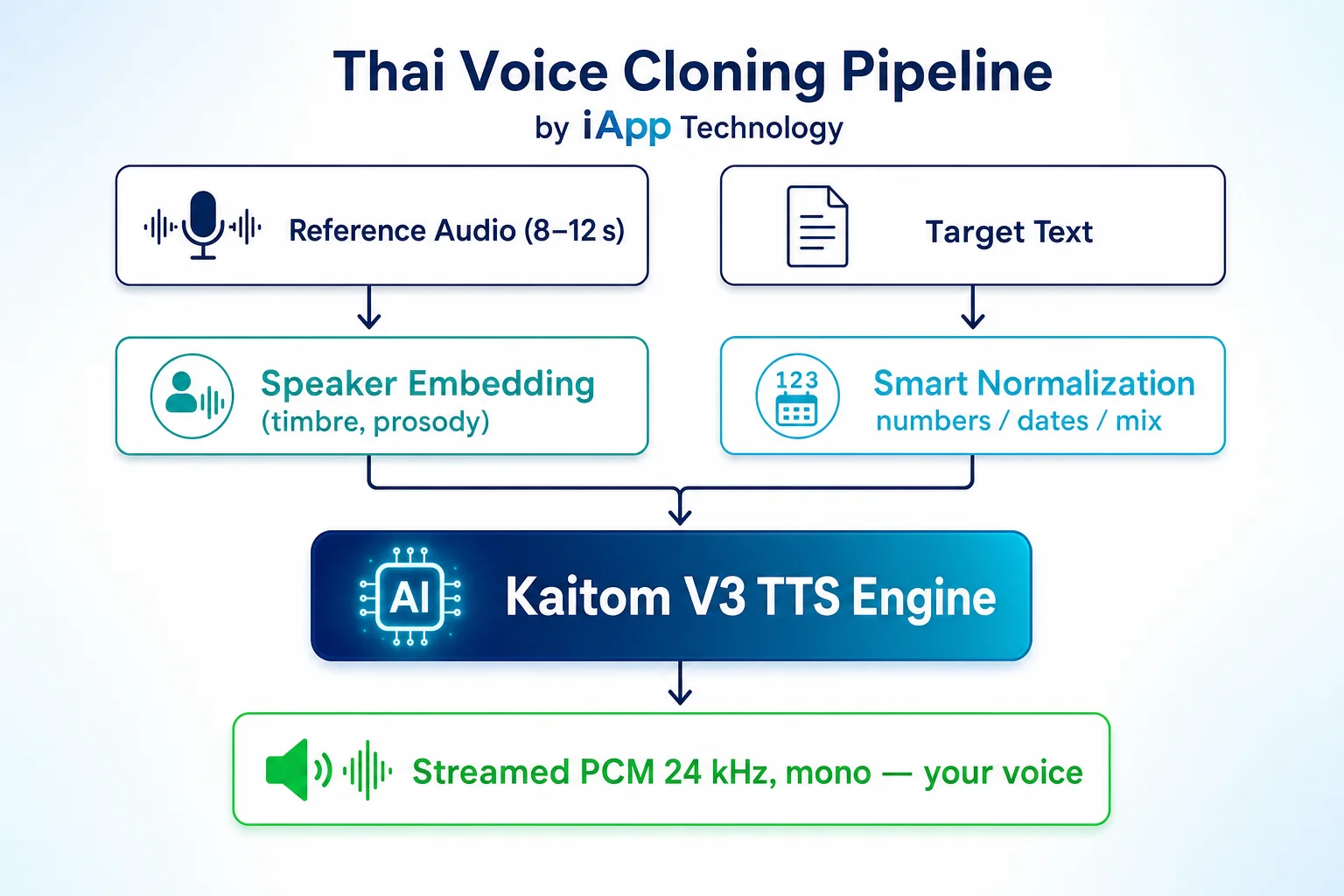
คลิปต้นฉบับเก็บลักษณะเสียงและจังหวะการพูด แล้ว V3 engine นำไปใช้กับข้อความไทยที่คุณส่งเข้ามา
ลองได้ใน 60 วินาที
วิธีที่เร็วที่สุดคือ Demo บนเว็บ — อัดเสียงตัวเอง พิมพ์ข้อความไทย ฟังเสียงตัวเองพูดข้อความใหม่ทันที:
เริ่มใช้งาน API
cURL
curl -X POST 'https://api.iapp.co.th/v3/store/audio/tts/clone' \
    --header 'apikey: YOUR_API_KEY' \
    --form 'text=สวัสดีครับ วันนี้ทดสอบการโคลนเสียงด้วย AI' \
    --form 'speed=1.0' \
    --form 'ref_text=ฮัลโหล สวัสดีครับ ผมชื่อไข่ต้ม' \
    --form 'ref_audio=@reference.wav' \
    --output 'output.pcm'
Python
import requests

url = "https://api.iapp.co.th/v3/store/audio/tts/clone"
headers = {"apikey": "YOUR_API_KEY"}

with open("reference.wav", "rb") as ref:
    files = {"ref_audio": ref}
    data = {
        "text": "สวัสดีครับ วันนี้ทดสอบการโคลนเสียงด้วย AI",
        "ref_text": "ฮัลโหล สวัสดีครับ ผมชื่อไข่ต้ม",
        "speed": "1.0",
    }
    r = requests.post(url, headers=headers, data=data, files=files)

with open("output.pcm", "wb") as f:
    f.write(r.content)
Response ที่ได้คือ PCM signed 16-bit little-endian, mono, 24 kHz สตรีมตามไบต์ที่เข้ามา ห่อด้วย WAV header 44 ไบต์ฝั่ง client หรือใช้ ffmpeg แปลง:
ffmpeg -f s16le -ar 24000 -ac 1 -i output.pcm output.wav
พารามิเตอร์
| ฟิลด์ | ประเภท | จำเป็น | หมายเหตุ |
|---|---|---|---|
text | string | ใช่ | ข้อความภาษาไทยที่ต้องการสังเคราะห์ |
ref_text | string | ใช่ | ข้อความตามตัวจริง ของ ref_audio (คำต่อคำ ไม่ใช่คำอธิบาย) |
ref_audio | file | ใช่ | WAV หรือ MP3 ความยาว 8–12 วินาที เสียงไทย mono ที่สะอาด |
speed | float | ไม่ | 0.8–1.2, ค่าเริ่มต้น 1.0 |
เคล็ดลับให้โคลนได้ดี
คุณภาพการโคลนขึ้นอยู่กับคลิปต้นฉบับ ใช้เวลาเตรียมไม่กี่นาทีก็คุ้มมาก:
- อัดให้สะอาด ไม่มีเสียงดนตรีพื้นหลัง ไม่มีเสียงรถ ไม่มีเสียงคนซ้อน
- ใช้ผู้พูดเดียว ไม่มีเสียงไอ เสียง "เอ่อ" หรือเสียงคนอื่นแทรก
- ข้อความตรงกับเสียง 100%
ref_textต้องเหมือนref_audioทุกตัวอักษร ถ้าไม่ตรง เสียงจะเพี้ยนหรือเร่งเร็วผิดปกติ - อยู่ในช่วง 8–12 วินาที สั้นกว่านี้เก็บโทนเสียงไม่พอ ยาวเกิน 15 วินาที ระบบจะตัดทิ้งและทำให้
ref_textส่วนท้ายไม่ตรง - สไตล์การพูดสม่ำเสมอ ถ้าต้นฉบับพูดเรียบๆ แต่ข้อความใหม่ต้องตะโกน ผลที่ได้จะเพี้ยน
คุณสามารถสร้างอะไรได้บ้าง
หนังสือเสียงส่วนตัว
นักเขียนสามารถพากย์เสียงตัวเองในบทแรก แล้วโคลนเสียงทำบทที่เหลือโดยไม่ต้องเข้าห้องอัดเพิ่ม
Brand Voice สเกลใหญ่
อัดเสียงพรีเซนเตอร์แบรนด์แค่ 10 วินาทีครั้งเดียว แล้วใช้สังเคราะห์วิดีโอการตลาด, IVR, Product Demo ภาษาไทยได้ไม่จำกัด ในเสียงเดียวกัน
เก็บรักษาเสียง
ช่วยผู้ป่วยที่กำลังจะสูญเสียเสียงพูด — อัดเก็บไว้ตอนนี้ เพื่อให้ "พูด" ได้ในอนาคต
Localize เนื้อหาสำหรับตลาดไทย
นำคอนเทนต์ต่างประเทศมาทำเป็นภาษาไทยโดยใช้เสียงผู้บรรยายเดิมที่ผู้ชมจำได้ ไม่ต้องคัดเลือก ไม่ต้องเข้าสตูดิโอ
การเข้าถึงและ E-Learning
สร้างเสียงเนื้อหาการศึกษาด้วยเสียงครูจริง พร้อมการอ่านตัวเลข วันที่ สกุลเงินที่ถูกต้อง
ราคา
โคลนเสียงราคา 1 IC ต่อ 400 ตัวอักษร
| Endpoint | Method | ค่าใช้จ่าย |
|---|---|---|
/v3/store/audio/tts (เสียงไข่ต้ม) | POST | 1 IC ต่อ 400 ตัวอักษร |
/v3/store/audio/tts/clone (โคลนเสียงไทย) | POST | 1 IC ต่อ 400 ตัวอักษร |
ใช้อย่างมีความรับผิดชอบ
โคลนเสียงเป็นเทคโนโลยีที่ทรงพลังและถูกใช้ในทางที่ผิดได้ง่าย iApp Technology กำหนดให้ผู้ใช้:
- ได้รับความยินยอม จากเจ้าของเสียงก่อนโคลน
- เปิดเผยว่าเป็นเสียงสังเคราะห์ ในบริบทที่เกี่ยวกับความน่าเชื่อถือ (ข่าว แถลงการณ์ การยืนยันตัวตน)
- ห้ามเลียนแบบบุคคลจริง เพื่อการฉ้อโกง การคุกคาม หรือบิดเบือนข้อมูล
การละเมิดเงื่อนไขนี้ถือว่าผิดข้อตกลงการใช้งาน และอาจมีความผิดตามกฎหมายไทย (PDPA, พ.ร.บ.คอมพิวเตอร์) เราเก็บ log การใช้งานทุก clone request และให้ความร่วมมือกับเจ้าหน้าที่เมื่อมีการแจ้งเหตุ
ข้อจำกัดในช่วง Alpha
- รองรับเฉพาะภาษาไทย — ภาษาอังกฤษและจีนอยู่ใน Roadmap
- คำขอโคลนประมวลผลทีละรายการต่อเซิร์ฟเวอร์ ในช่วงโหลดสูงอาจมีคิว
- ความยาวคลิปต้นฉบับสูงสุด 15 วินาที (เกินจะถูกตัด)
- Output เป็น PCM ดิบ ต้องห่อ WAV header ฝั่ง client เพื่อเล่น
เริ่มใช้งานวันนี้
- ลอง Demo บนเว็บ — อัดและโคลนในเบราว์เซอร์
- อ่านเอกสาร API ฉบับเต็ม — เอกสารเทคนิคครบถ้วน
- ขอ API Key — เริ่มสร้างได้ทันที
ความคิดเห็น
ตอนนี้ยังเป็น Alpha คอมเมนต์ของคุณช่วยกำหนดสิ่งที่จะเป็น GA
- Discord: discord.gg/kYcpmdEcS2
- Email: sale@iapp.co.th
- โทร: 02-124-4041
Thai Voice Cloning เป็นส่วนหนึ่งของ Kaitom Voice V3 พร้อมให้บริการแก่ผู้ใช้ iApp API ทุกท่าน โดยไม่มีค่าใช้จ่ายในช่วง Alpha